
Magento integration (2.x versions)
File location and description
- https://packagist.org/packages/luckycart/magento2 : the Packagist repository
- https://github.com/luckycart/Magento2Module : the GitHub repository
Integration steps
1. Installation/update/uninstallation
Module management is performed through command line with the following instructions: https://github.com/luckycart/Magento2Module/blob/master/README.md
Especially, for installation, the following commands must be executed via composer :
composer require luckycart/magento2
php bin/magento module:enable Yuukoo_Luckycart
php bin/magento setup:upgrade
php bin/magento setup:di:compile
php bin/magento setup:static-content:deploy
Once done, make sure to clean your server cache, then disconnect and reconnect.
2. Configuration
Once the module is installed, you can access its configuration from the back office and input in the "General" section the key and secret provided by Lucky Cart for the specified environment (production or pre-production/stage/test/dev)
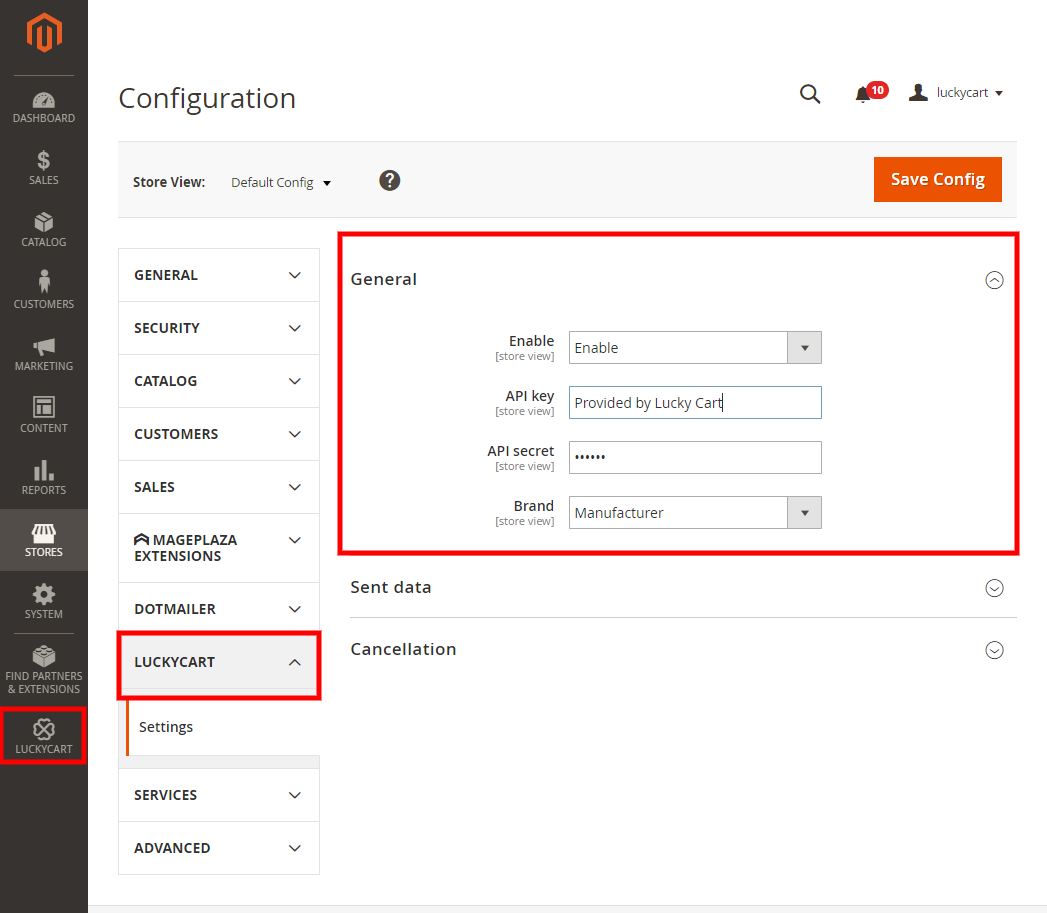
If necessary, you can also configure the "Brand" field which represents the brand of each product purchased.
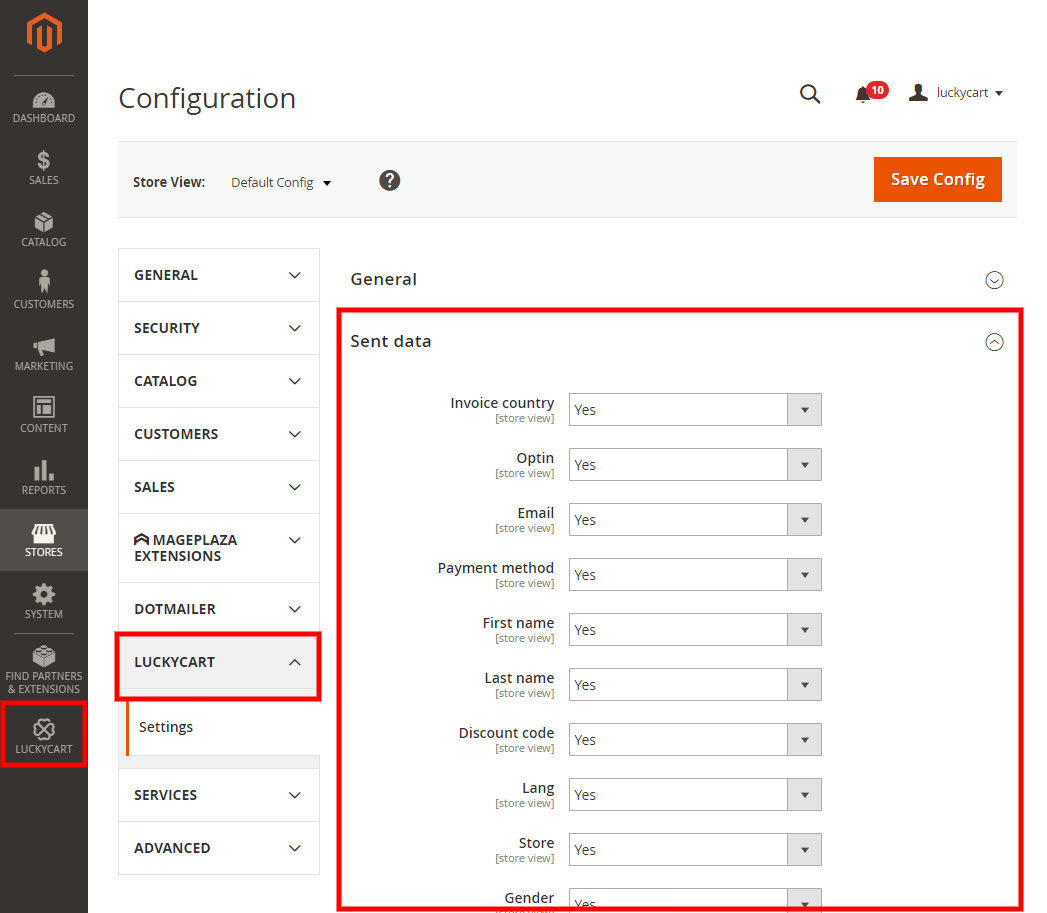
Finally, based on integration needs, it is possible to specifically choose which fields of the order will be sent to Lucky Cart :
3. Activation
Make sure the module is activated to start sending carts. That's it!