
Prestashop integration (1.5 & 1.6 versions)
File location and description
- prestashop/psluckycart.zip : the Prestashop module
Integration steps
1. Installation
From the modules administration menu, add, select, download the current module from the following location: http://download.luckycart.com/integration/prestashop/psluckycart.zip
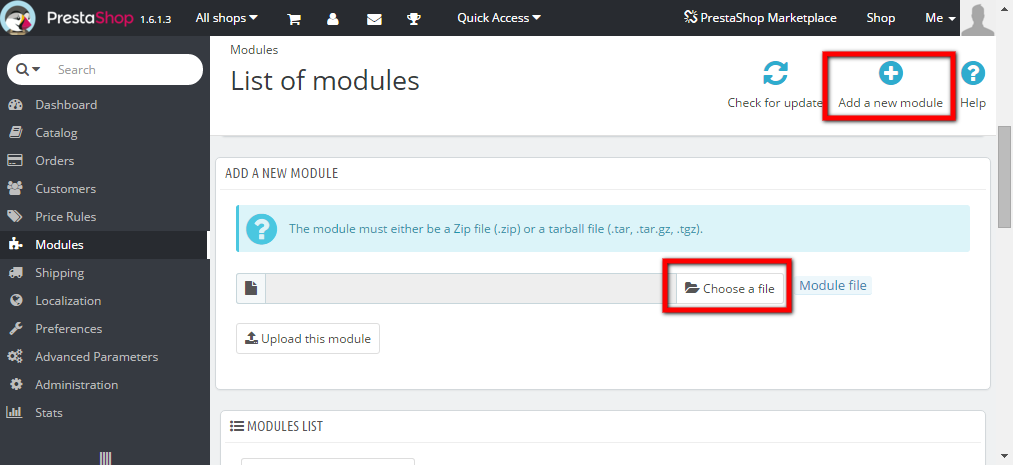
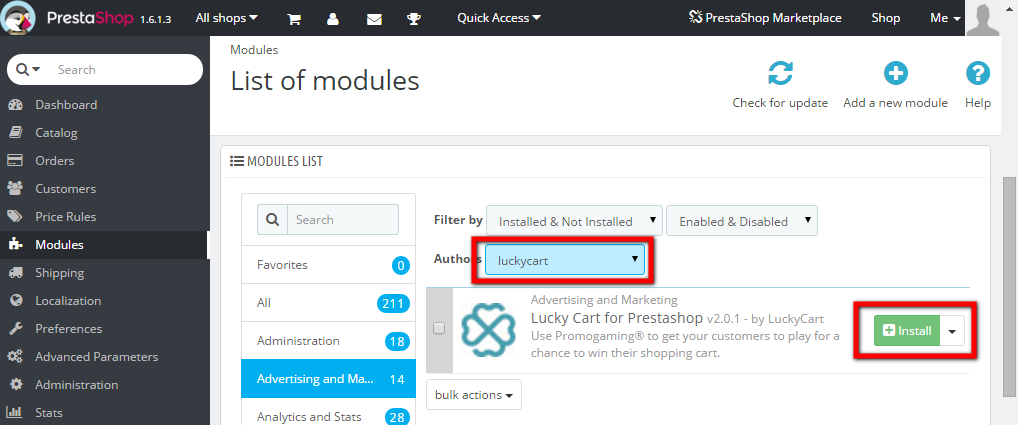
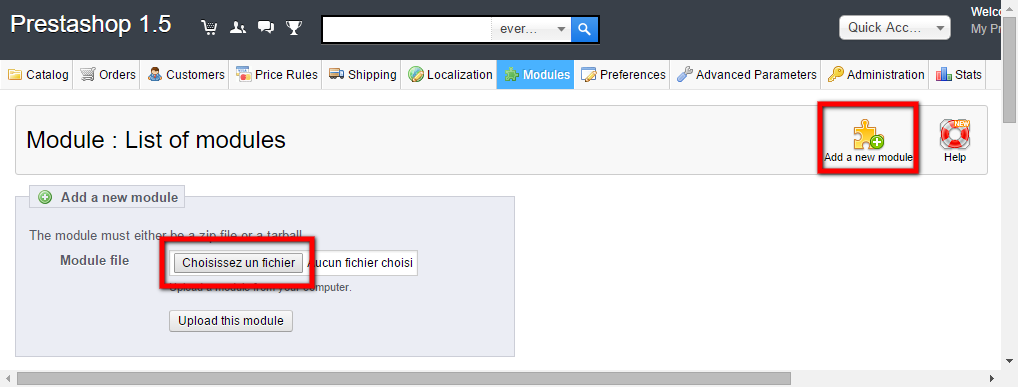
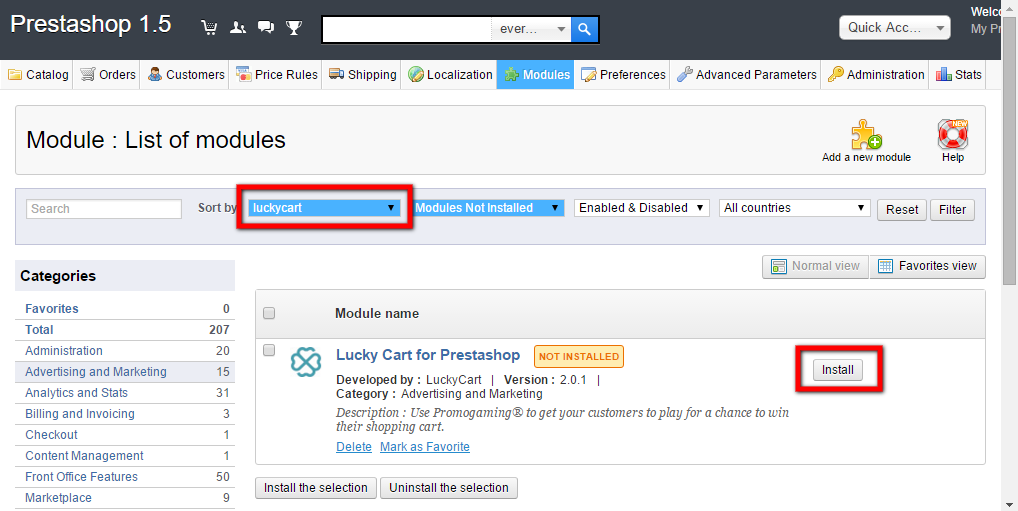
2. Configuration
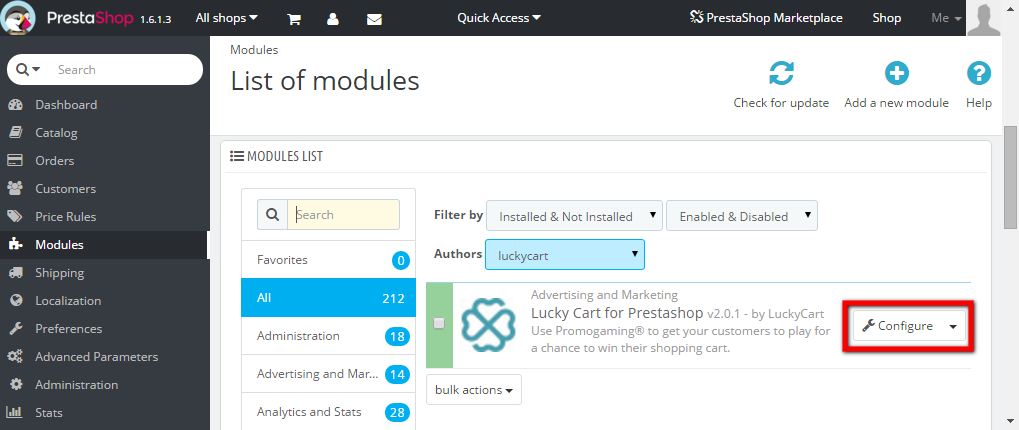
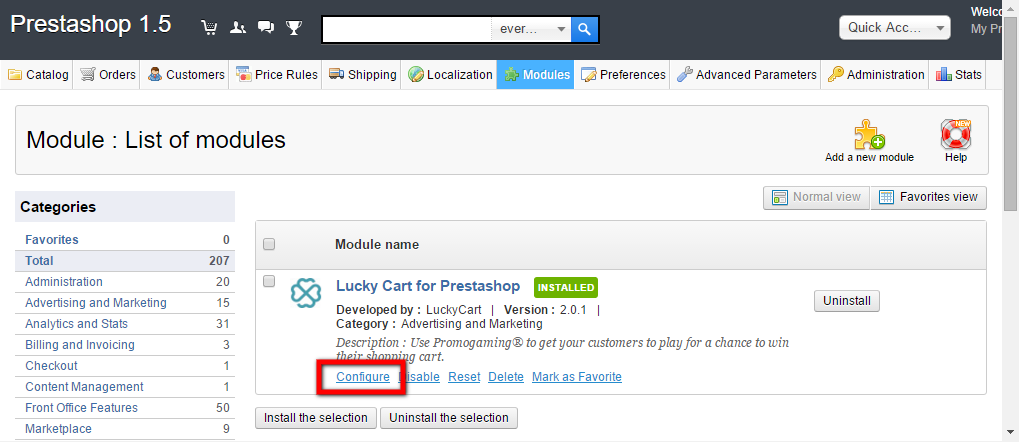
Once the module is installed, click on the Configure button.
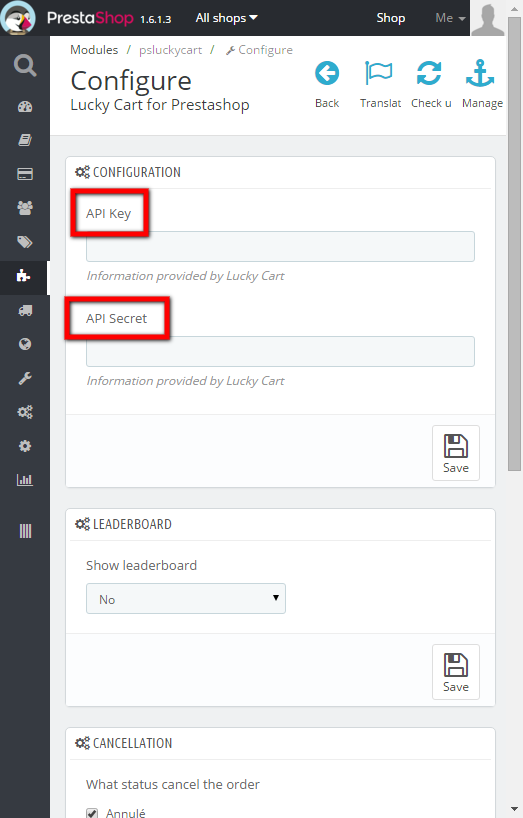
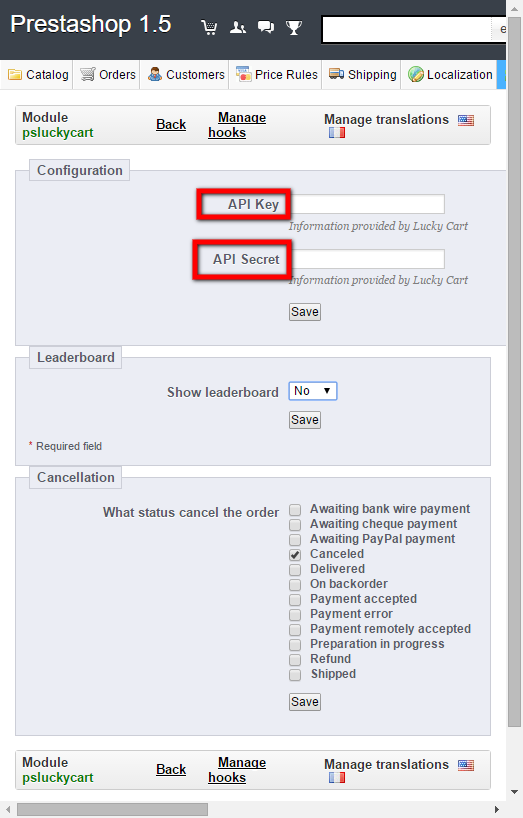
Then, in the “Configure” menu, input the API key/API secret of the required environment (pre-production or production) given by Lucky Cart:
3. Activation
Activate the module in order to send the orders and display the game properly.
Note: you have to manually configure the position/hooks parameters in Prestashop to ensure the game will be displayed in the right location.